Argentina (AR)
 Brazil (BR)
 Chile (CL)
 Colombia (CO)
 Ecuador (EC)
 Mexico (MX)
 Peru (PE)
 Venezuela (VE)



Layouts bancarios automáticos
Genera archivos bancarios directamente desde tu nómina calculada, sin capturar nuevamente los importes de empleados.


Automate and simplify your payroll.

Centralize your team's information.

Manage vacations and time off.

Track schedules and attendance.

Organize employee documents.

Manage and assign your company's assets.

Measure and improve the employee experience.

Keep your team connected.

Simplify hiring and offboarding.

Manage confidential reports.

Evaluate and develop your team.

Attract and hire better talent.

Develop your team's skills.

Manage field staff, seasons, and payroll.

Manage teams, production, shifts, and payroll.

Simplify managing wellness teams.

Manage agents and real estate teams.

Manage teachers and education staff.

Manage technical and operations teams.

Manage employees and payroll with precision.

Manage staff, shifts, and operations.

Manage operational and distributed teams.

Manage plants, shifts, and payroll.

Manage shifts, attendance, and payroll.

Manage store staff and operations.

Manage medical and administrative staff.

Manage scalable technology teams.

Articles, guides, templates, videos, and more.

Learn key HR and payroll terms.

Easily calculate payroll and HR figures.

Practical guides to manage HR better.

Ready-to-use templates for HR management.

Webinars, workshops, and HR and payroll tips.
Download kits for your HR team.
Explore HR trends and tips.

Learn who we are and what drives us.

See what our customers say about Runa.

Learn about the causes we support.

See our openings and work at Runa.

See what the media say about Runa.

Learn how we protect your data and information.
 US
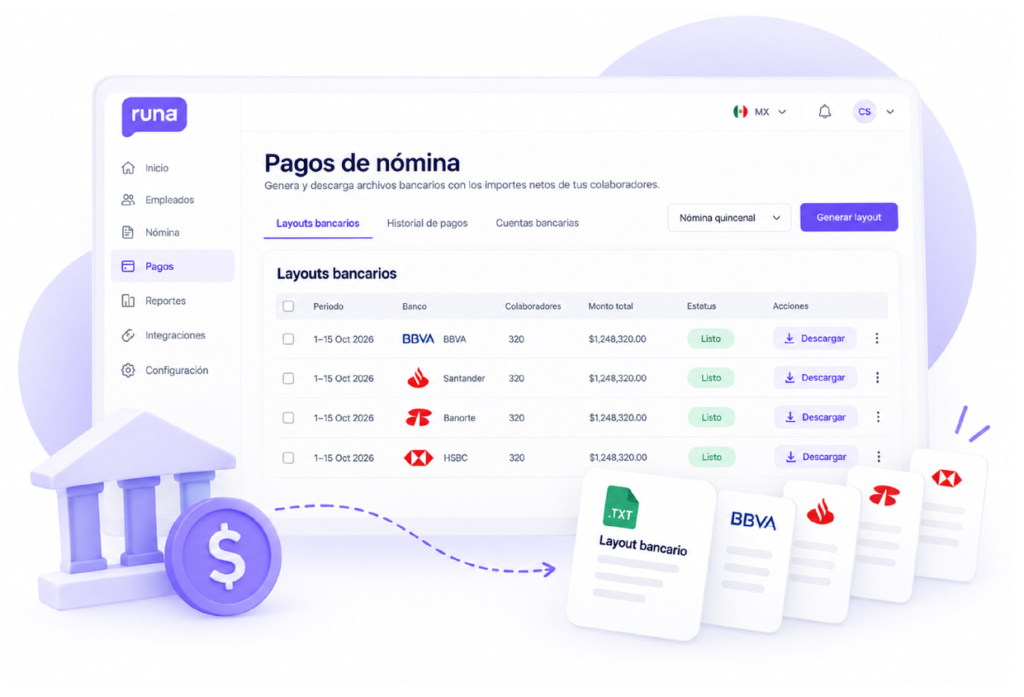
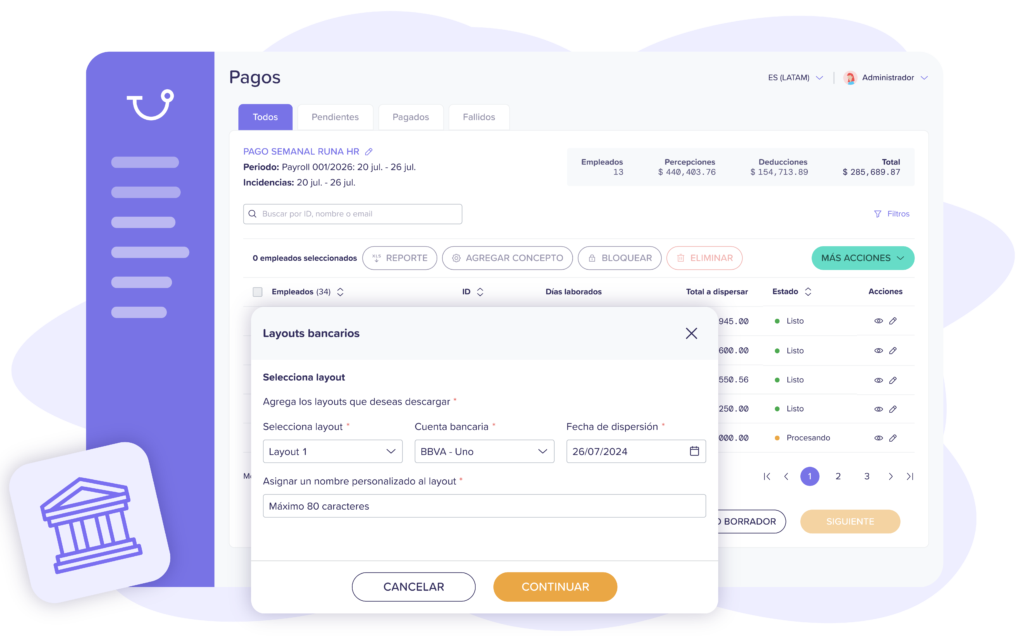
Genera layouts bancarios a partir de tu nómina calculada, organiza los pagos de tus colaboradores y descarga archivos compatibles con los formatos de tus bancos. Reduce errores y ahorra tiempo en cada dispersión.
Automatiza la preparación de pagos, elimina tareas manuales
y mantén el control de cada dispersión de nómina.
Genera archivos bancarios directamente desde tu nómina calculada, sin capturar nuevamente los importes de empleados.

Prepara archivos de dispersión conforme a los formatos bancarios disponibles, desde una sola plataforma.

Reduce la captura manual de datos bancarios, cuentas e importes para preparar tus pagos con mayor precisión.

Evita hojas de cálculo y procesos repetitivos al preparar los archivos de pago de tus colaboradores.
Make electronic transfers to your employees’ bank accounts via STP, without generating bank files or using external portals for each payroll payout.
Send payments to CLABE accounts at different financial institutions participating in SPEI, centralizing your employees’ transfers from a single platform.
Centralize and use your employees’ banking information, including accounts and CLABE, to prepare transfers with up-to-date, organized data.
Organize and prepare transfers based on your payroll periods—weekly, biweekly, or monthly—making each payroll payout easier to manage.
Identify missing or incomplete banking details before preparing transfers, reducing errors and avoiding delays in payroll payments.
Check the status of payments sent via STP, identify completed or rejected transfers, and make it easier to track each payroll payout.
SPEI Activation
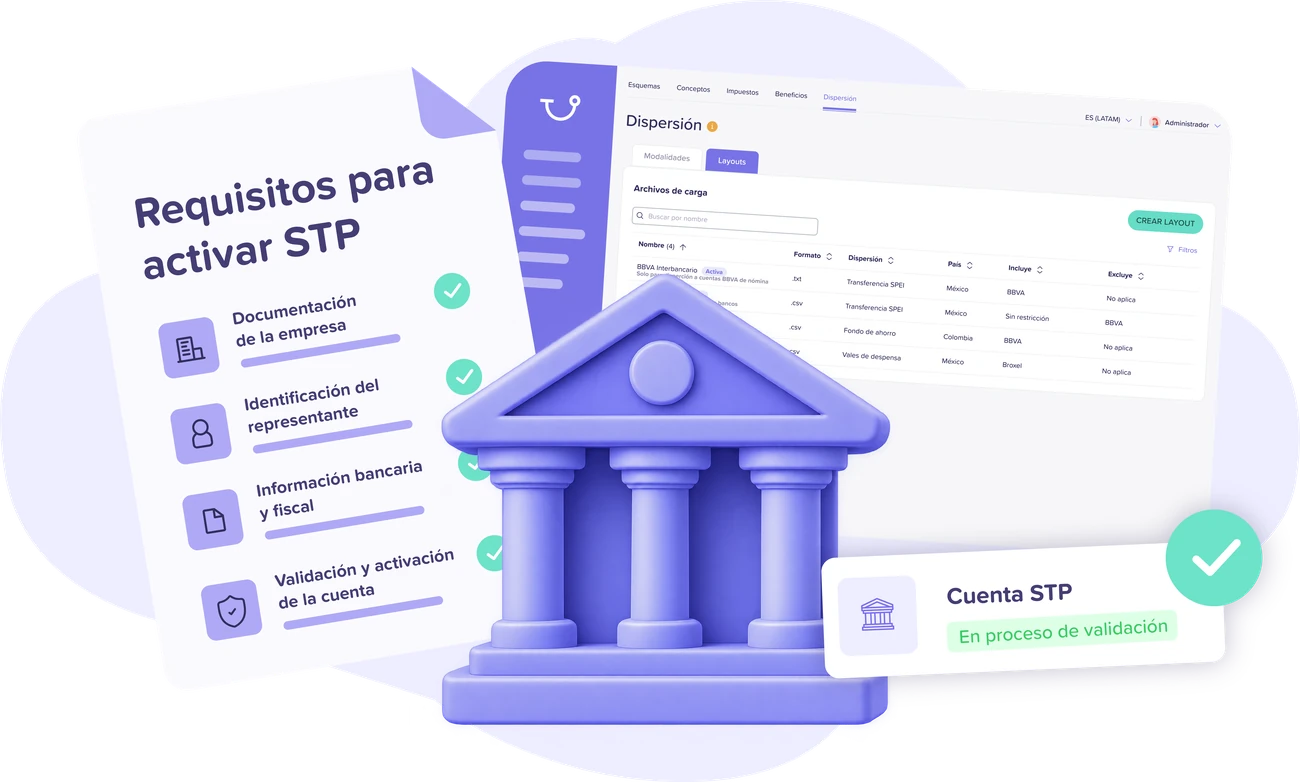
Learn about the documents and requirements needed to activate your STP account and start automating payroll payments.
DownloadBank layouts are files you download from Runa and upload to your business banking portal to make payments. With SPEI Transfers, you can automate payroll payouts directly from Runa via STP, without using bank files.
Yes. Runa lets you prepare payments for employees with accounts at different banks, either using compatible bank layouts or SPEI transfers to CLABE accounts at participating institutions.
Not necessarily. With SPEI Transfers you can send payments between different participating banking institutions, without your employees needing accounts at the same bank as your company.
Yes. Runa uses the net amounts calculated in the Payroll module to prepare bank files or SPEI transfers, avoiding duplicate data entry and reducing errors.
Yes. You can organize and prepare your payments based on your payroll frequency, including weekly, biweekly, and monthly payments, using either bank layouts or SPEI transfers.
How do Runa’s SPEI transfers work with STP?
What happens if a SPEI transfer is rejected?
Do SPEI transfers have an additional cost?
Can I use bank layouts and SPEI transfers at the same time?
What do I need to start using SPEI Transfers?
Change how you work and try Runa's complete software today.