Argentina (AR)
 Brazil (BR)
 Chile (CL)
 Colombia (CO)
 Ecuador (EC)
 Mexico (MX)
 Peru (PE)
 Venezuela (VE)


Facial recognition
Verify the employee’s identity when they clock in.


Automate and simplify your payroll.

Centralize your team's information.

Manage vacations and time off.

Track schedules and attendance.

Organize employee documents.

Manage and assign your company's assets.

Measure and improve the employee experience.

Keep your team connected.

Simplify hiring and offboarding.

Manage confidential reports.

Evaluate and develop your team.

Attract and hire better talent.
Develop your team's skills.

Manage field staff, seasons, and payroll.

Manage teams, production, shifts, and payroll.

Simplify managing wellness teams.

Manage agents and real estate teams.

Manage teachers and education staff.

Manage technical and operations teams.

Manage employees and payroll with precision.

Manage staff, shifts, and operations.

Manage operational and distributed teams.

Manage plants, shifts, and payroll.

Manage shifts, attendance, and payroll.

Manage store staff and operations.

Manage medical and administrative staff.

Manage scalable technology teams.

Articles, guides, templates, videos, and more.

Learn key HR and payroll terms.

Easily calculate payroll and HR figures.

Practical guides to manage HR better.

Ready-to-use templates for HR management.

Webinars, workshops, and HR and payroll tips.
Download kits for your HR team.
Explore HR trends and tips.

Learn who we are and what drives us.

See what our customers say about Runa.

Learn about the causes we support.

See our openings and work at Runa.

See what the media say about Runa.

Learn how we protect your data and information.
 US
Record clock-ins and clock-outs from anywhere, manage workdays, shifts, and incidents, calculate and approve overtime, and send everything straight to payroll with no manual re-entry.
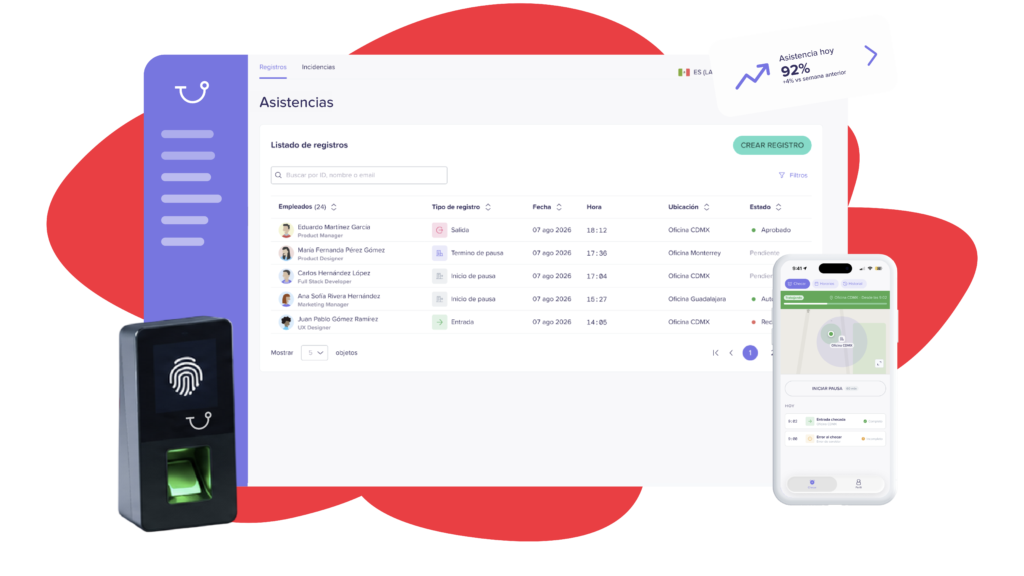


From punching in to reports and payroll, manage every hour worked from one place.
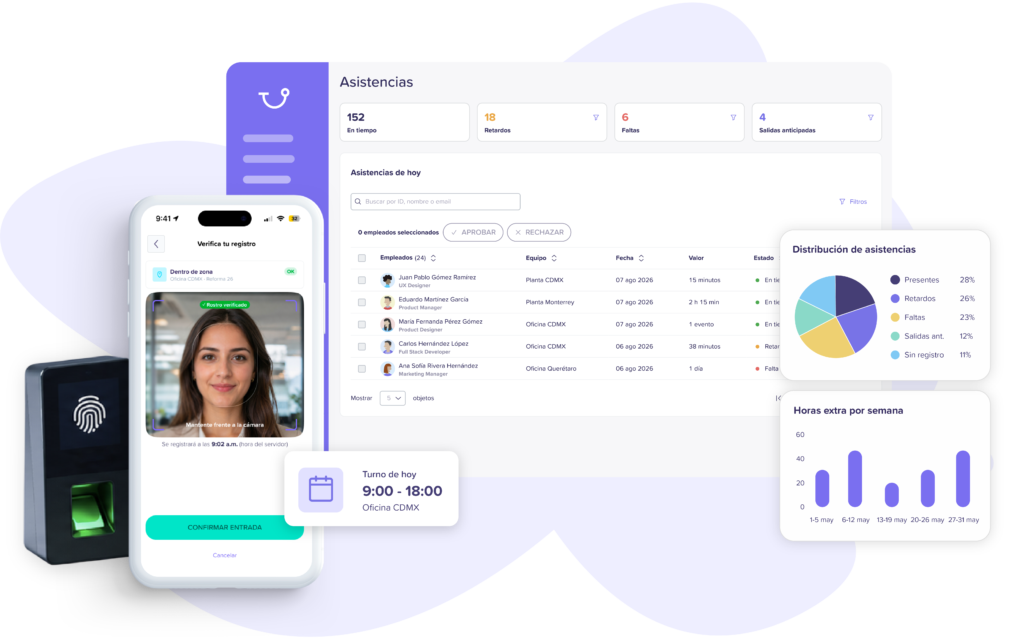
Verify the employee’s identity when they clock in.
Validate the location where each punch is made.

Manage offices, plants, and branches from a single platform.
View hours worked, incidents, and attendance by employee, team, or period.
Notify late arrivals, absences, and records that need attention.
Lets each employee view their records, hours worked, and history.
From shifts and punches to incidents, overtime, and payroll, manage everything from one place.
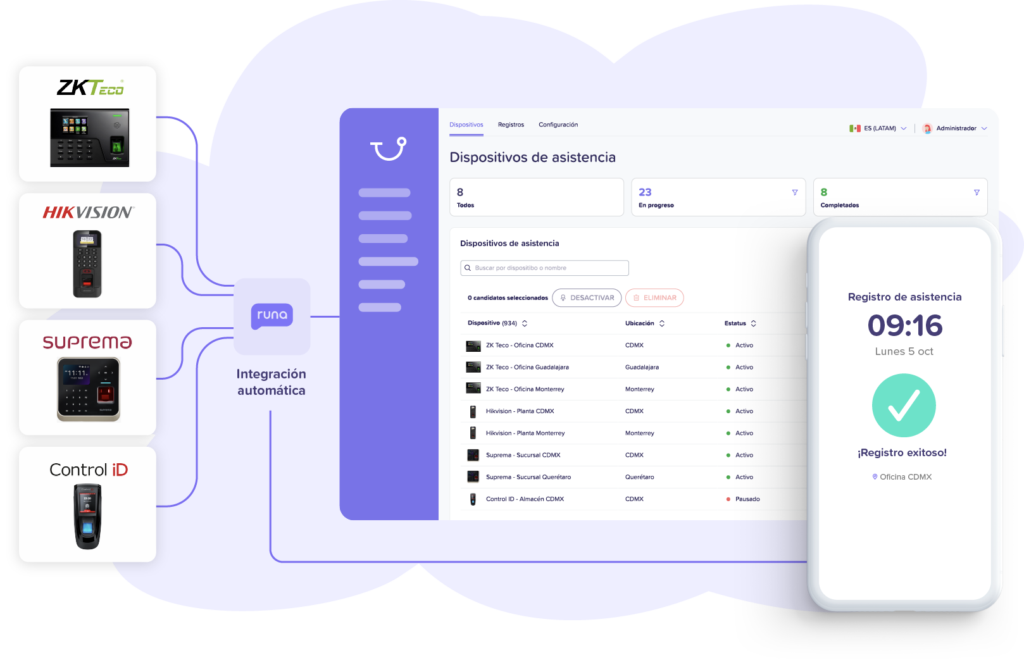
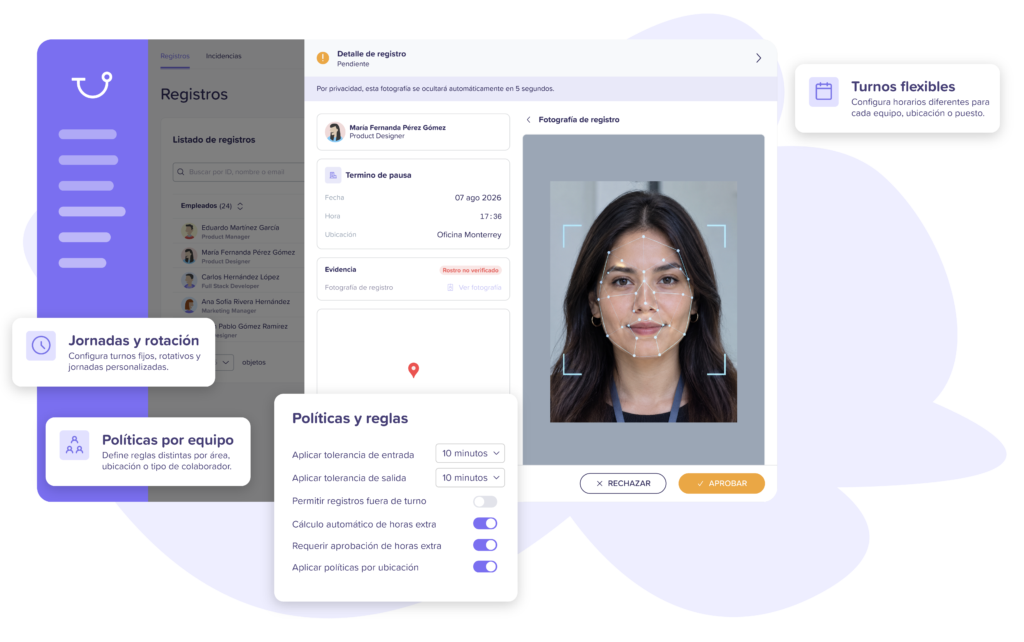
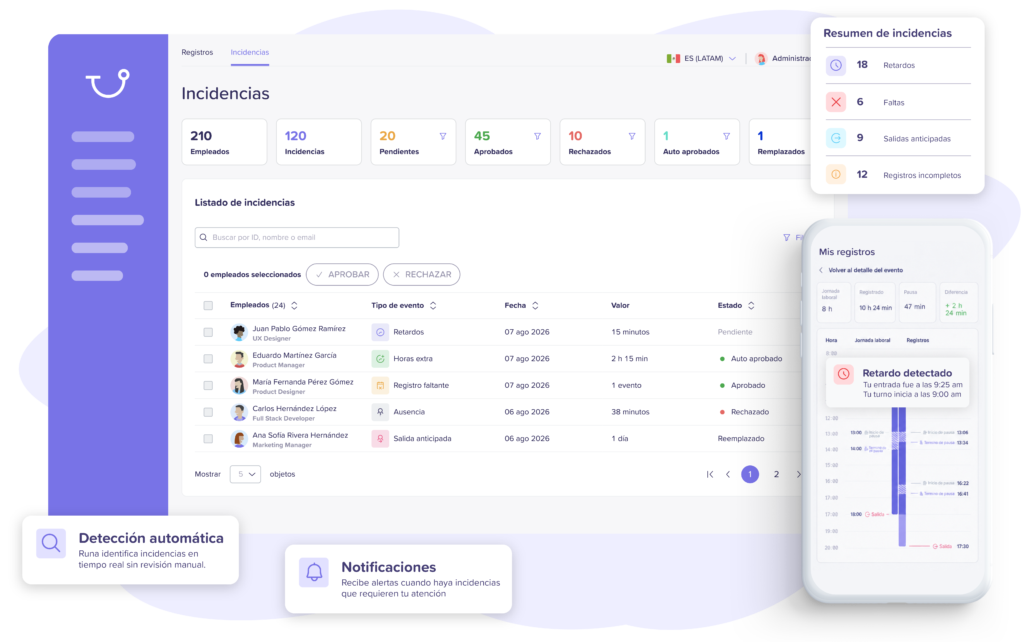
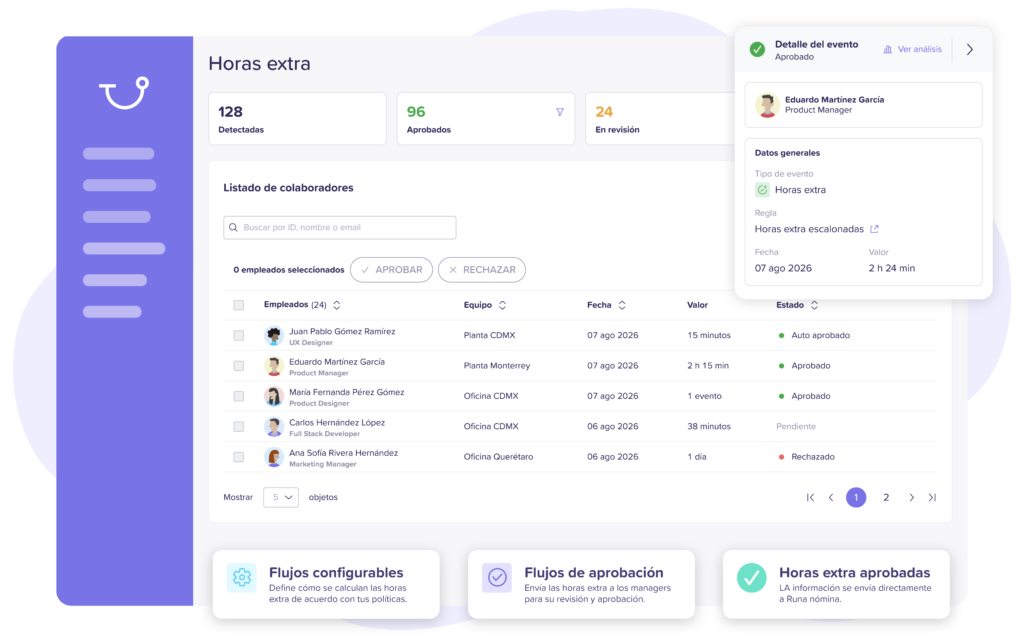
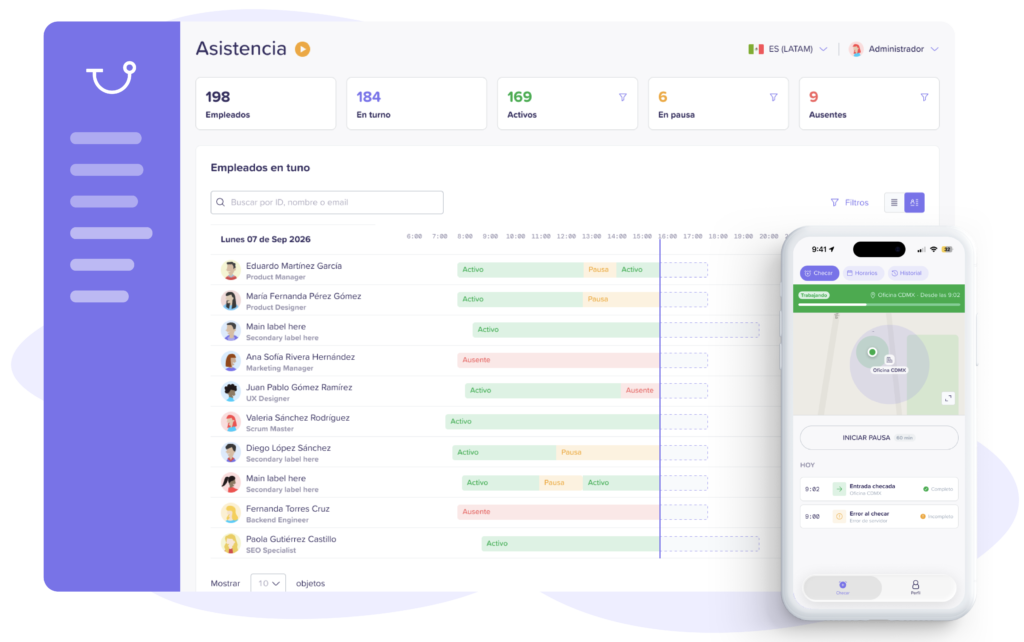
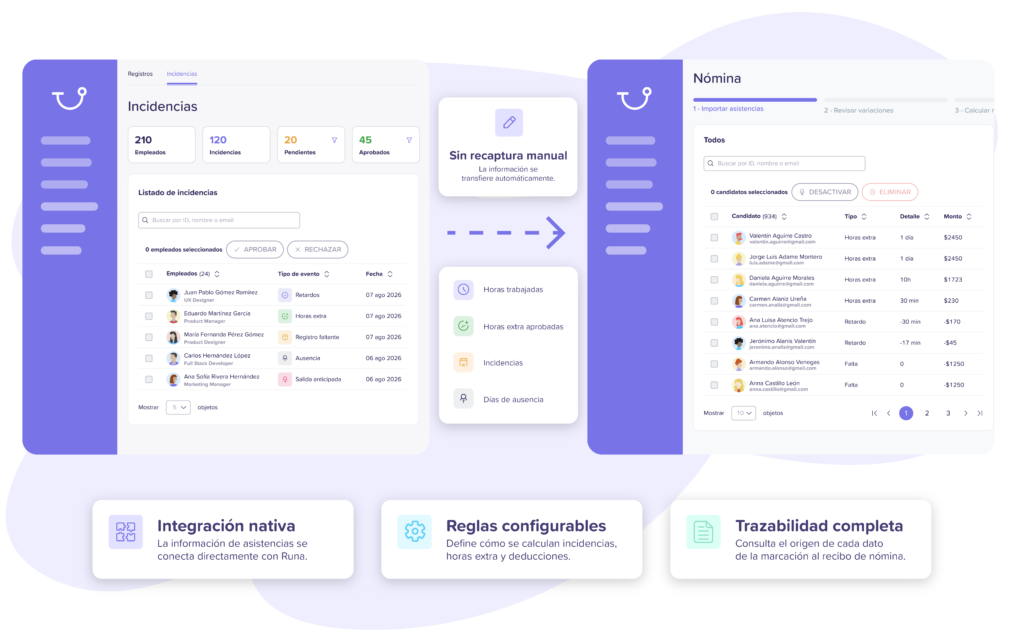
Centralize punches, shifts, incidents, and overtime in Runa and forget manual processes.
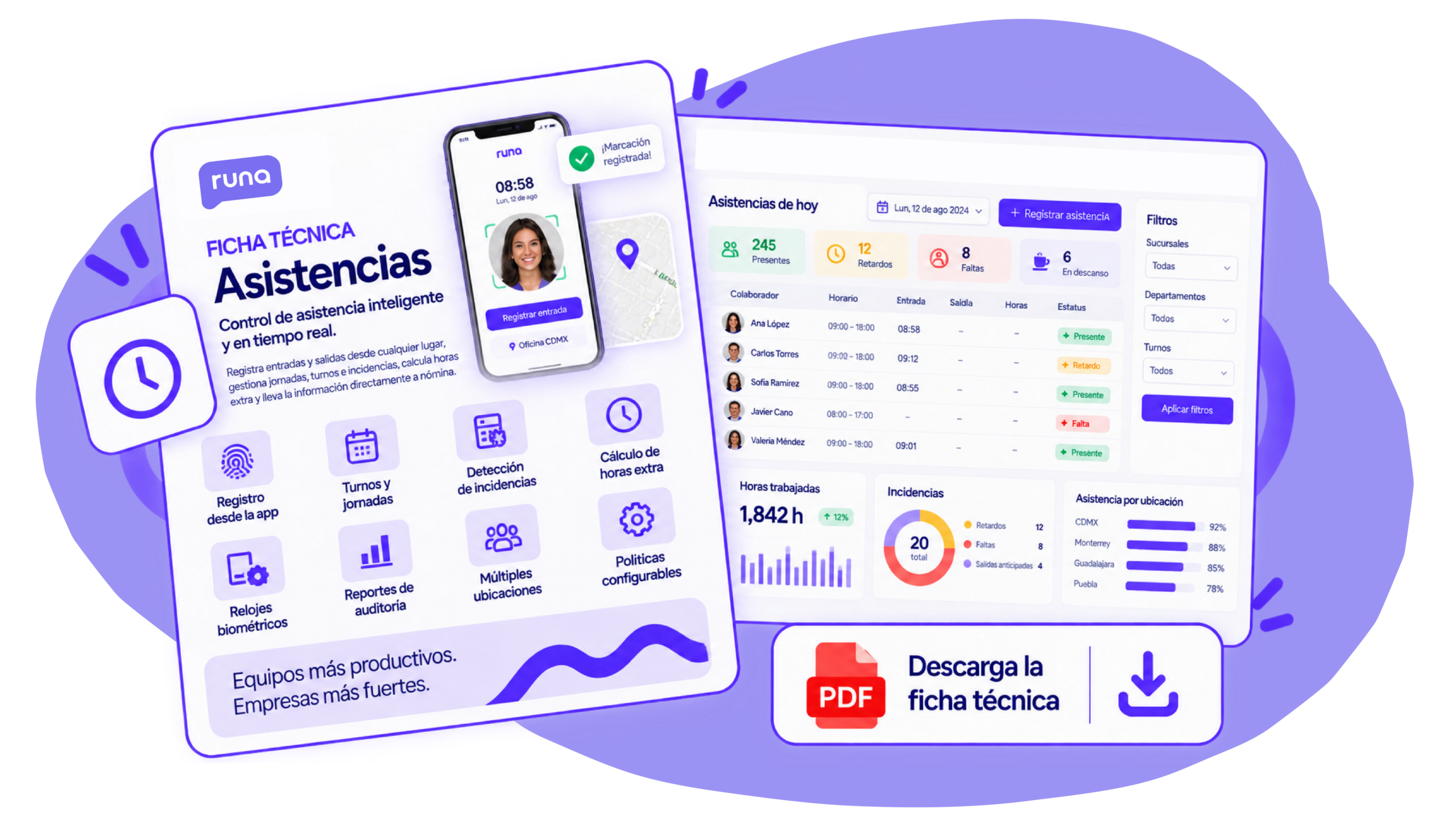
TECHNICAL SHEET
Review features, automations, integrations, and module capabilities in our technical sheet.
DownloadConnect Attendance with Runa’s other modules and eliminate manual processes between HR and payroll.
Automate your payroll calculation and payment from start to finish.
All your team's information in one place, always up-to-date.
Manage vacations, permits, and leaves simply.
Control schedules, shifts, and attendance in real time.
Digitize and organize records and files.
Control, assign, and track your company's assets.
Measure the environment, listen to your team, and improve their experience.
Connect your team with news, announcements, and surveys.
Integrate and offboard employees in a structured way.
BETA
Manage complaints securely, anonymously, and confidentially.
BETA
Evaluate, track, and develop your team's talent.
BETA
Find and select the best talent for your company.
BETA
Develop skills and boost growth.


Centralize essential information for each employee.

Your data protected with the highest standards.

Control access and information levels.

Automate key approvals and processes.

Connect with the systems you already use.

Visualize key data and make better decisions.

Give each employee access to their information.
See how HR teams use Runa to simplify
attendance tracking and run operations more efficiently.


“From the beginning, we knew we needed a solid foundation to scale our payroll operation in Mexico with security, efficiency, and full compliance.”
Rodrigo Sanchez
Communications Lead


“With Runa, we found a reliable platform that allows us to operate efficiently and provide clarity to the entire team.”
Gerry Giacomán
Co-Founder & CEO


“With Runa’s software, we were able to manage payroll directly and without errors, through a much more efficient process adapted to our needs. We feel much more secure and at ease with every payment and calculation we make.”
Norma Isela
Human Resources Manager


“With Runa, we have successfully simplified and automated key payroll and human resources processes. Today, we have greater visibility over our team and can manage our team members' information much more efficiently.”
Administration Team
Comex
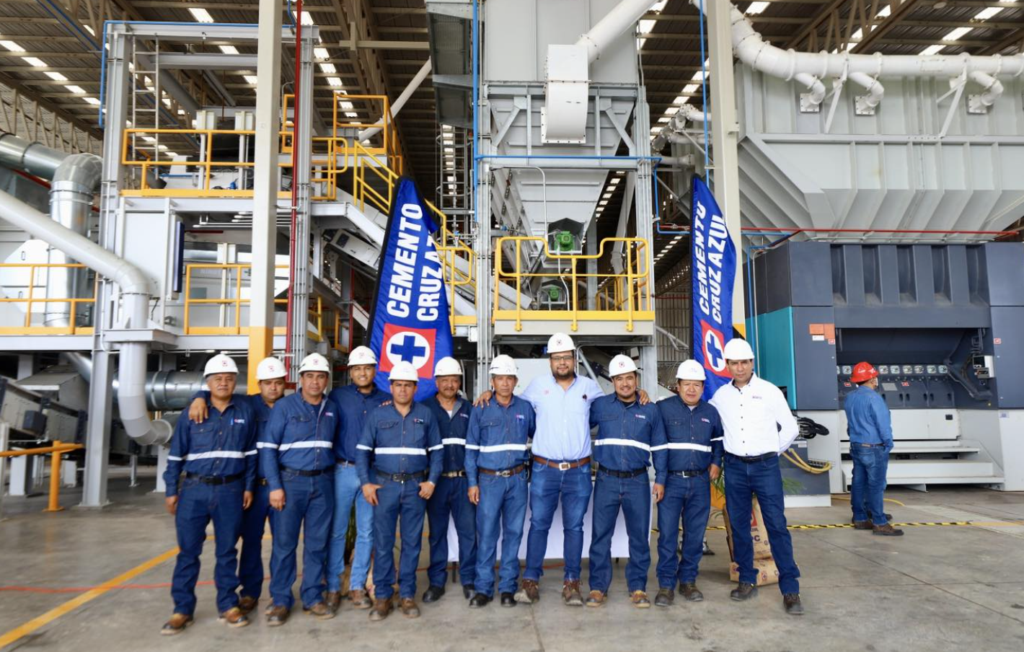

“With Runa, we found much more than just a payroll provider. Today, we have a team that understands the complexity of our operations and supports us through every payment cycle, allowing us to work with greater confidence, efficiency, and visibility over our processes.”
Human Resources Team
Cementos Cruz Azul


“With Runa, we’ve been able to completely simplify payroll and team management across our operations. Having our employees’ information centralized allows us to focus on what matters most: delivering a great experience for our customers.”
Operations Team
Punto de Cielo
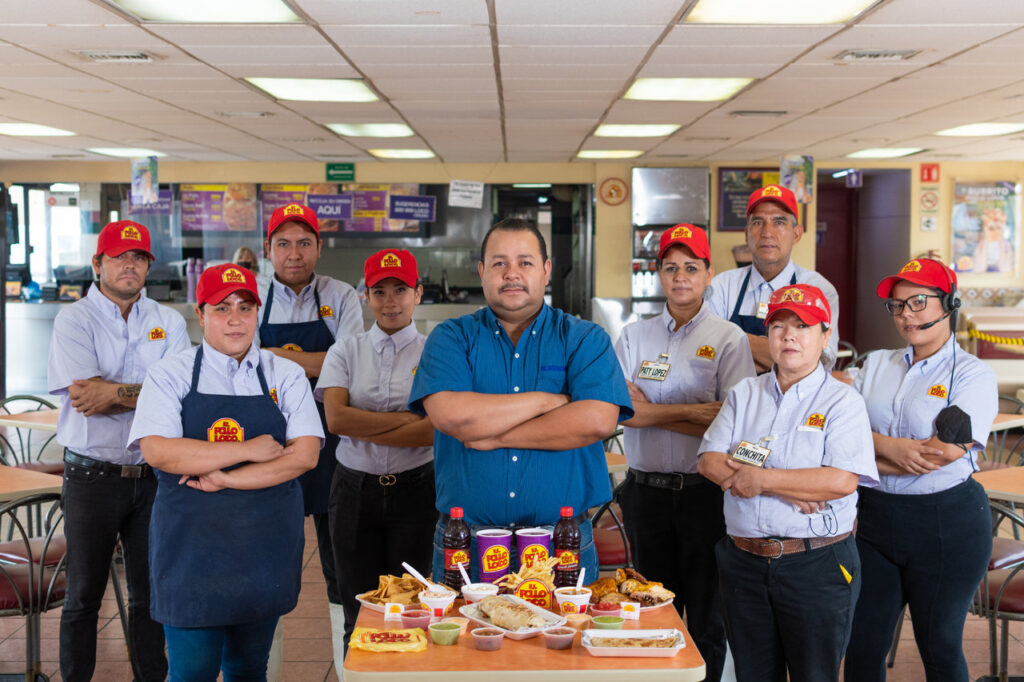

“Runa has helped us automate key payroll and HR processes for our teams. Today, we can manage our employees' information much more quickly, efficiently, and in a more organized way.”
Payroll and HR Management
El Pollo Loco


“With Runa, we have a stable and committed team, errors have been reduced to a minimum, and everything stays automatically updated, without us having to worry about legal or technical matters.”
Martha Llano
HR Manager

Giovana M.
Restaurants, 2-10 employees

Nitza D.
Retail, 10-50 employees

Gema E
Retail, 5001-10000 employees

Maite D
Finance, 11-50 employees

Thu Ha N
Services, 51-1000 employees

David V.
Software, 11-50 employees


Cristina W.
HR, 25-50 employees

Sandra F.
Energy, 100–125 employees

Miguel Angel J
Accounting, 51-1000 employees

Arturo S.
Healthcare, 11-50 employees

Giovana M.
Retail, 50-1000 employees

Claudia L
Accounting, >1,000 employees
Juan Carlos C.
Technology, 50–1,000 employees

Ileana M.
Retail, 501-1000 employees

Luis A.
Finance, 50-1,000 employees

Manuel A.
HR, 2-10 employees

Juan Antonio G.
Technology, 50-1,000 employees

Francisco M.
Finance, 51-200 employees

Adrian D.
Accounting, 0-50 employees

Iván G.
Accounting, 50-100 employees

Claudia Z.
Human Resources, 0-50 employees
Rogelio F.
Education, 0-50 employees

Ulises G.
Telecom, 51–1,000 employees

Miguel A.
Accounting, 51-1000 employees
An attendance tracking system helps record and organize everything that happens during employees’ workdays. Clock-ins, clock-outs, hours worked, late arrivals, absences, and overtime are all kept in one place. With Runa, HR can automatically detect incidents, generate reports, and send that information straight to payroll. That prevents scrambling to pull data from different files right at close.
Runa Attendance is designed to help companies prepare for changes related to the workday in Mexico. The platform lets you keep electronic records of clock-ins and clock-outs, set schedules and shifts, track hours worked, and record overtime. It also helps detect incidents and keep a clear history of what happened in each workday. For HR, having traceable information becomes even more valuable when rules change and it’s time to review how schedules are actually being managed in practice.
Runa compares each employee’s punches with the shift, schedule, and attendance policies configured by the company. From there, the system can detect late arrivals, absences, incomplete records, and overtime. The HR team can review those incidents from a single platform and decide what to do in each case. This reduces much of the manual work that usually comes up when it’s time to reconcile schedules.
Runa lets you track attendance from a mobile app, the web, geolocation, facial recognition, and biometric devices. This gives HR flexibility to adapt punching to how each company works. It can work for offices, plants, stores, branches, and also for teams working remotely. Not every operation looks the same, so having multiple ways to track attendance helps the process fit day-to-day work.
Yes. Runa can integrate with time clocks, biometric devices, and other attendance tracking systems. Punches can be centralized in one platform and later connected to payroll software, so HR doesn’t have to review the information separately. This way, the company can keep using part of its current infrastructure and manage the data from Runa.
Runa identifies overtime by comparing each employee’s punches with their schedule and the rules defined by the company. When overtime appears, managers can review it before it goes to payroll. They can also approve or reject it as needed. This provides clearer control and prevents overtime from reaching the final calculation without a prior review.
Runa connects attendance tracking information directly to payroll to reduce manual data entry. Hours worked, late arrivals, absences, incidents, and approved overtime can be consolidated before preparing pre-payroll. With that information already organized, the team can continue payroll calculations with greater traceability. For HR and Payroll, this means working from the same data and avoiding the classic back-and-forth of files as close approaches.
Change how you work and try Runa's complete software today.